Turn your English textbook into interactive exercises
Language Boss turns the pages of the English textbook your school already teaches from into exercises that students do on a phone or computer. A teacher chooses a page range and the exercise types they want, the system reads those pages and writes the exercises, and the teacher reviews every exercise before deciding who gets it and when it is due. Open answers are spoken rather than typed, so the same homework also measures each student’s pronunciation, sound by sound.
How it works
- Your textbook is added to the system. During setup, the Language Boss team adds your book’s pages. Pages are shown only to signed-in users who have access to that book, because textbook pages are copyrighted.
- Each page is indexed. The system records what is printed on every page (new words, phrases, grammar rules, reading passages, questions) and lists each unit’s vocabulary, grammar points and learning objectives. Teachers see this list next to the page.
- A teacher chooses pages and exercise types. Pick a first and last page, then how many of each exercise type you want. The system makes that many; if any fail, a retry makes up the difference.
- The teacher can steer the result. Add written instructions (for example, “practise the past continuous, keep sentences short”), edit the learning objectives, or ask for the book’s own reading text or glossary to be used word for word instead of new material.
- The teacher reviews the batch. Keep or discard each exercise, and open any exercise in edit mode to change its wording or answers. Discarded exercises are never shown to students.
- The teacher hands it out. Choose the students or the lesson it belongs to, set a due date, and decide whether open answers are marked by the AI or by the teacher. Nothing reaches a student before this step.
Exercise types it can make from a page
| Exercise type | What the student does |
|---|---|
| Quiz | Answers multiple-choice questions, marked instantly. |
| Reading comprehension | Reads a passage, then answers true/false/not given, multiple-choice and open questions. Open answers are spoken. |
| Listening comprehension | Hears the passage read aloud instead of reading it, then answers the same kinds of questions. |
| Grammar hunt | Finds every example of a named grammar point in a text, against a stopwatch. |
| Cloze | Hears a model sentence, then says it with the missing word filled in. The word is checked and the sentence is scored for pronunciation. |
| Word matching | Matches words to definitions, example sentences or translations. |
| Picture matching | Matches words to pictures of what they mean. |
| Image description | Studies a model description of a picture, then describes new pictures aloud. |
| Scenario | Holds a spoken role-play with an AI character, with a goal such as returning a faulty item or passing an interview. |
| Shadowing | Speaks along with a model passage, phrase by phrase, and is scored on rhythm, timing and pronunciation. |
Teachers can also write an audio task around a recording they choose, or a video task around a YouTube video with questions at set pause points.
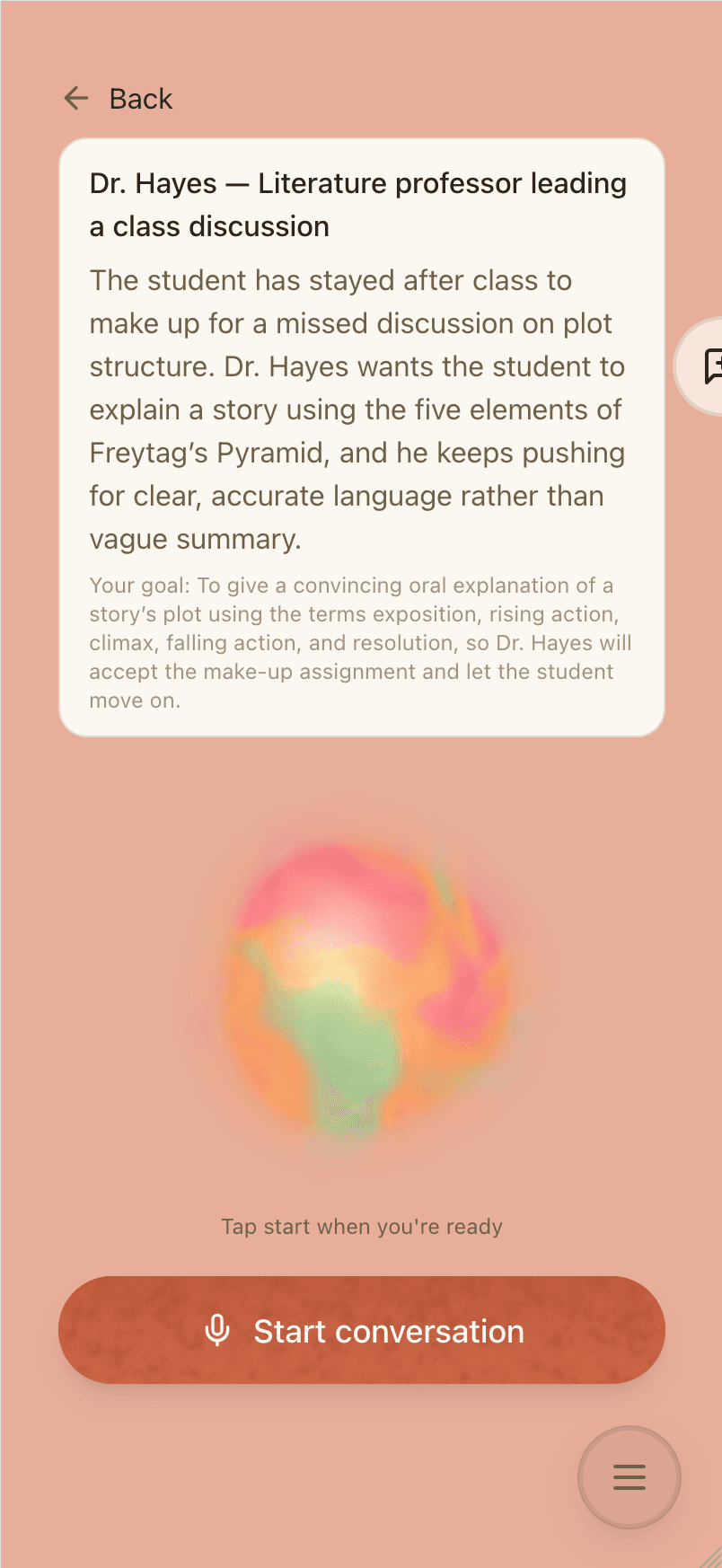
What students see
- Students use the Language Boss app in a phone or computer browser and can add it to their home screen. Its menus are in English or Traditional Chinese.
- Multiple-choice and matching answers are marked the moment the student answers.
- Open answers are spoken. The student gets written feedback, and pronunciation is scored sound by sound from the recording.
- Homework is listed by due date, next to practice the app picks for each student from their recurring mistakes and their teacher’s notes.
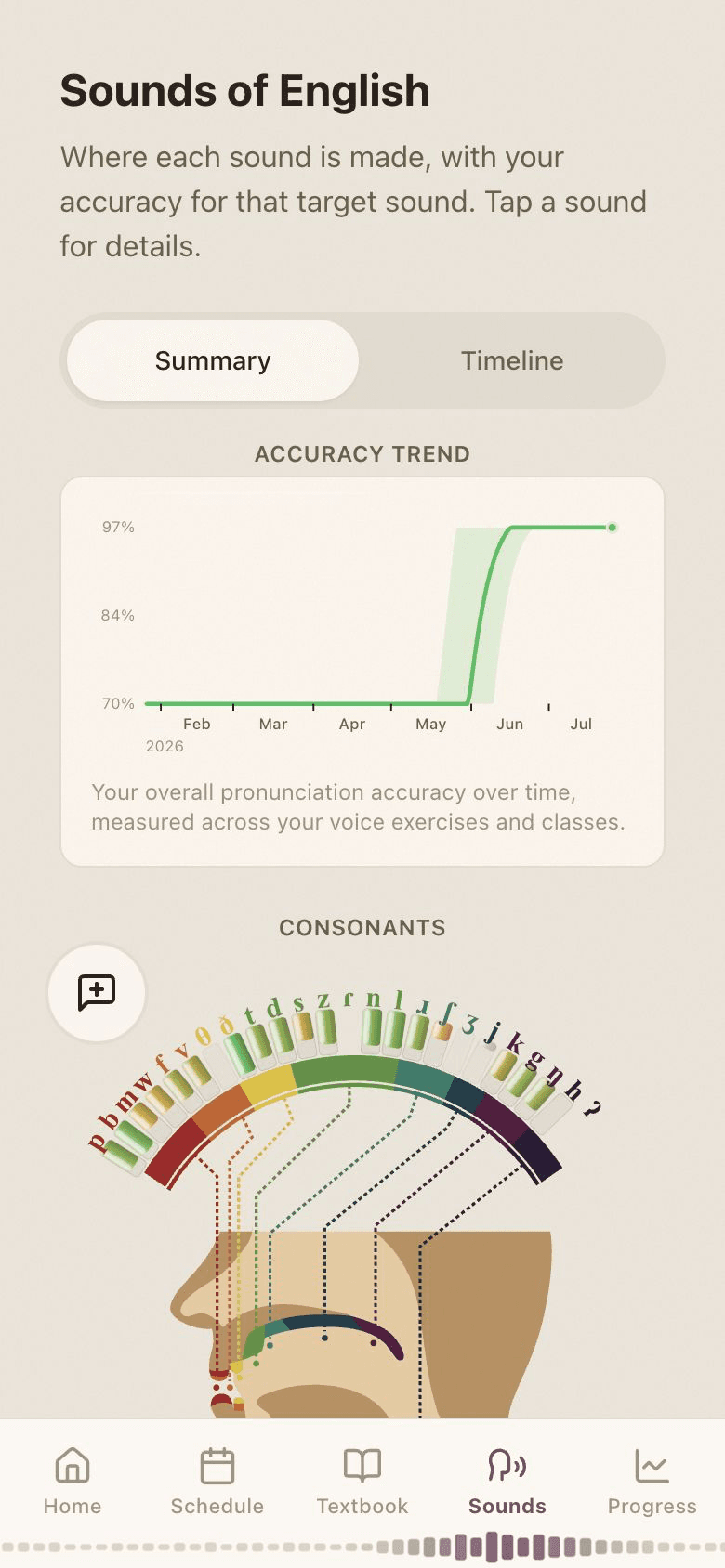
What it does not do
- It does not mark written compositions. No exercise asks students to type English sentences; open answers are spoken. If essay writing is a large part of your course, you will need another tool for that part, such as Google Classroom.
- Teachers do not upload a book and start in minutes. Today, textbooks are added with our team during setup.
- It is for schools, not individual learners. A school sets it up, because the exercises come from that school’s books and classes.
- It needs an internet connection. There is no offline mode.
Pilot results
Results from the Language Boss pilot:
- 27% faster vocabulary acquisition
- 3.1 times more speaking practice per student
- 89% engagement
- 65% less grading time
- 92% parent satisfaction with progress visibility
- 38% better retention
We can explain in the demo how the pilot was run and how each figure was measured.
Who uses it
Language Boss was built with Choc Education, an English school in Taipei that currently teaches small online classes of two to four students. Choc’s staff, teachers and students use it.
For how it fits a cram school in Taiwan, see Language Boss for cram schools. If you are comparing tools, see software that turns textbooks into practice, compared, Language Boss vs Kahoot! or H5P alternatives.